The Best Robotic Pool Cleaner With Automatic Scheduling for How You Run Your Pool

Some robots let you choose the days and the hour; others only repeat every so many days. Here is which is which, and when the difference is worth paying for.

5 ranked picks Find the right clean without paying for features you won’t use
The quick answer

Which Robot Should You Buy?

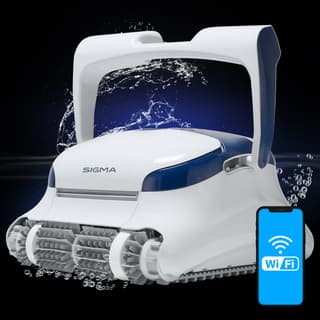
The Dolphin Sigma has the most exact scheduler of the robots in this guide: you pick days and times in the myDolphin Plus app. The Clear S is the runner-up, with weekly schedules in its own app for less money. If a cycle every day, every 2 days or every 3 days is all you need, the Dolphin Premier does that from its power supply.

On this page: the picks · side by side · questions · our advice

The best robotic pool cleaner with automatic scheduling depends on what you mean by scheduling. A repeat timer starts a cycle every so many days. A true scheduler lets you choose which days and what hour, so the robot works overnight, after the pool service has left, or while the pump is off.

Five robots here schedule themselves in one form or another. The Sigma, the Clear S, the Dolphin Quantum and the Clear UV do it in an app. The Quantum and the Premier also carry a timer on the power supply that needs no phone at all. We rank them by how exactly you can set the clock.

Five Self-Scheduling Robots, Ranked by Control

In order, with today’s price on each.

Top Choice
Dolphin Sigma Robotic Pool Cleaner with Gyroscope, Wi-Fi, Oversized Filters, & 3 Year Warranty
$2349 $2999 Save $650
Maytronics

Dolphin Sigma

Most Exact Scheduler: Pick the Day and the Hour

The Sigma is first because its weekly scheduler works by day and time, set in the myDolphin Plus app over Wi-Fi or Bluetooth. That is the difference between a robot that runs every other day and one that runs Monday, Wednesday and Saturday at the hour you choose. The app also sends a filter alert, so a full cartridge does not quietly waste a week of cycles. You are paying the highest price in this guide, partly for hardware that has nothing to do with the clock.

Best for
Owners who want cleaning tied to specific days and hours.
Keep in mind
The highest-priced pick here. If an interval timer would do, you are buying a scheduler you will not use.
No. 2
Clear S Robotic Pool Cleaner
$1749 $2749 Save $1000
Buy Now: Clear S
Clear

Clear S

Weekly App Schedules and a 1-Hour Fast Mode

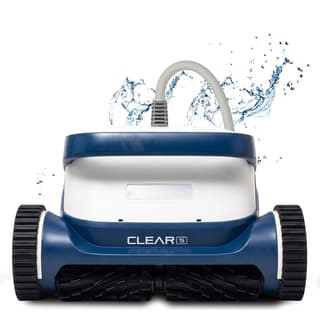
The Clear S takes second because the Clear app builds weekly schedules too, and the robot offers six modes: Regular at 2 hours, Ultra at 3, Fast at 1, Floor only, Waterline only and Custom. A short mode helps when the gap between pump runs is tight. It usually sits between the Quantum and the Premier on price, so check the live price on the card. It trails the Sigma because the Sigma's sheet spells out scheduling by day and time and two ways to connect.

Best for
Owners who want app scheduling and a choice of cycle lengths without paying for the top model.
Keep in mind
Its scheduling lives in the phone app, so be sure you are comfortable running the robot from a screen.
No. 3
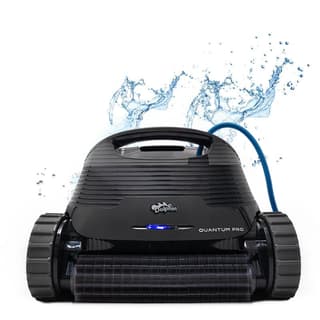
Dolphin Quantum Robotic Pool Cleaner
$1599
Maytronics

Dolphin Quantum

Timer and App Scheduling at the Lowest Price Here

The Quantum gives you both kinds. Its weekly timer on the power supply repeats every day, every 2 days or every 3 days with no phone involved, and the myDolphin Plus app over Wi-Fi adds schedules, start and stop, cleaning modes and alerts. If the Wi-Fi drops, the timer is still there, and it is the lowest-priced of these five. It ranks third because app scheduling depends on Wi-Fi reaching the power supply, and its warranty, at 2 years, is a year shorter than on the two picks above.

Best for
Owners who want a no-phone timer day to day, with app scheduling in reserve.
Keep in mind
App scheduling needs a Wi-Fi signal at the power supply, so check yours before you count on it.
No. 4
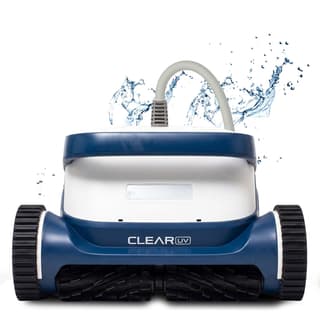
Clear UV Robotic Pool Cleaner
$1999 $2999 Save $1000
Buy Now: Clear UV
Clear

Clear UV

Clear Scheduling Plus an App-Controlled UV-C Light

The Clear UV schedules exactly as the Clear S does: weekly schedules in the Clear app and the same six modes. The difference is a built-in UV-C light that you control from the app, and a higher price that puts it close to the Premier and below the Sigma. For scheduling alone it adds nothing over the Clear S, which is why it sits two places lower. Choose it only if you want the light for its own sake; the live prices on the two cards show what it costs.

Best for
Buyers already set on a Clear robot who also want the UV-C light.
Keep in mind
Same scheduler as the Clear S for more money. We make no claims about what the light does for your water.
No. 5
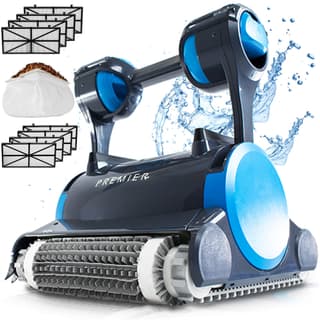
Dolphin Premier Robotic Pool Cleaner with Multi-Media, Oversized Leaf Bag, & 3 Year Warranty
$1949 $2499 Save $550
Maytronics

Dolphin Premier

Set-and-Repeat Timer With No Phone Required

The Premier schedules the simple way: a weekly timer on the power supply, set to every day, every 2 days or every 3 days. There is nothing to pair, and a full-filter indicator on the power supply tells you when to empty it. That is all the scheduling most pools need. What it cannot do is hold a named weekday or a clock time chosen on a phone, so it is last on a page about scheduling control.

Best for
Owners who want the pool cleaned on a steady rhythm without a phone, an account or a network.
Keep in mind
Interval presets only, with no choice of weekday, and every cycle runs a full 3 hours.

Four Things to Check Before You Pay for a Scheduler

  1. Days and Times, or Just an Interval

    A preset timer repeats a cycle every day, every 2 days or every 3 days. A day-and-time scheduler lets you say Tuesday and Friday at a set hour. Decide which you need first, because the second kind costs more.

  2. Where You Set It

    App scheduling needs a phone and a working connection to the robot. A timer on the power supply is set at the pool and carries on if the home network goes down.

  3. What Happens When the Filter Fills

    A schedule keeps starting cycles whether or not the filter is full. Look for a filter alert in the app or a full-filter indicator on the power supply, and plan to empty the filter at least weekly either way.

  4. Cycle Length Against Your Window

    If the robot must finish before the pump starts or before a morning swim, the cycle has to fit the gap. Standard cycles here run from 2 to 3 hours, and the Clear robots add a 1-hour Fast mode.

The Five Scheduling Picks Spec by Spec

Specification Dolphin Sigma Clear S Dolphin Quantum Clear UV Dolphin Premier
Price today $2349 $1749 $1599 $1999 $1949
Cleans Floor, walls and waterline Floor, walls and waterline Floor, walls, waterline, sun shelves and stairs Floor, walls and waterline Floor, walls and waterline
Scheduling Weekly scheduler by day and time Weekly schedules in the Clear app Weekly timer: every day, every 2 days or every 3 days Weekly schedules in the Clear app Weekly timer: every day, every 2 days or every 3 days
App myDolphin Plus (Wi-Fi and Bluetooth) Clear app (iOS and Android) myDolphin Plus (Wi-Fi) Clear app (iOS and Android), with UV-C light control No app; controls on the power supply
Filtration NanoFilters and standard filter cartridges UltraFilter basket: 1-micron fine and 180-micron coarse panels XXL MaxBin basket with standard and NanoFilter panels UltraFilter basket: 1-micron fine and 180-micron coarse panels Multi-Media: NanoFilters, oversized leaf bag and standard fine filters
Brushes Quad scrubbing brushes Front and rear active brushes Dual HyperBrush Front and rear active brushes Dual scrubbing brushes
Navigation SmartNav 3.0 with gyroscope Gyroscope and accelerometer SmartNav 2.0 Gyroscope and accelerometer SmartNav 2.0
Cable 55 ft with 360° anti-tangle swivel 59 ft anti-tangle 55 ft with anti-tangle swivel 59 ft anti-tangle 55 ft with 360° anti-tangle swivel
Warranty 3 years 3 years (limited) 2 years 3 years (limited) 3 years
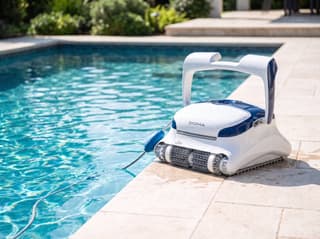
Dolphin Sigma robotic pool cleaner at the edge of an inground pool
A feature is worth paying for when your pool or your routine needs it.

How Every Robot Here Schedules, at a Glance

This table puts all seven robots side by side on one question, including two that are not picks. The Cayman has a timer with a single setting, every day, which suits a pool under trees and few others. The Escape has no timer as standard; an optional Automation Timer power supply repeats every 24, 48 or 72 hours. Both are sound robots for pools up to 33 ft, but neither lets you choose days or hours, so they sit outside this shortlist.

RobotHow It SchedulesWhere You Set It
Dolphin SigmaWeekly scheduler by day and timemyDolphin Plus app
Clear SWeekly schedulesClear app
Dolphin QuantumTimer presets, plus schedules in the appPower supply or myDolphin Plus app
Clear UVWeekly schedulesClear app
Dolphin PremierTimer: every day, every 2 days or every 3 daysPower supply
Dolphin CaymanTimer: every day onlyPower supply
Dolphin EscapeNo timer as standard; optional Automation TimerOptional power supply

When the Exact Hour Is Worth Paying For

Most pools are fine with a robot that simply repeats every second or third day. Three situations change that.

  • Overnight cleaning. Running after dark keeps the robot and its cable clear of swimmers and has the floor clean by morning.
  • After the pool service visit. If a technician brushes the walls on a fixed weekday, a cycle that evening collects what settles. That takes a named day, which an interval timer cannot promise.
  • While the pump is off. With circulation stopped, fine debris sinks to the floor where a robot can reach it. If your pump runs on its own timer, schedule the robot for the quiet hours.

Living With a Robot on a Schedule

A scheduled robot is made to stay in the water between cycles, which is the whole convenience. It still needs you about once a week: lift it out, empty and rinse the filter, and straighten the cable. In leaf season do that more often.

Take the robot out before you shock the pool or add chemicals. If the pool will sit unused for a long stretch, store the robot out of the water and out of direct sun. And before relying on an app, stand where the power supply will sit and check that your phone holds a connection there.

Setting a Schedule That Works

  1. Start with a cycle every 2 or 3 days and add days only if you see debris between runs. Daily cleaning suits pools under trees.
  2. Set the start hour so the full cycle finishes before your pump comes on or the first swim of the day.
  3. Make one day a week filter day and tie it to something you already do, such as testing the water.
  4. After a storm, run an extra cycle by hand and empty the filter straight after, instead of waiting for the next scheduled run.

Scheduling Questions Owners Ask

Do I need Wi-Fi for a robot to run on a schedule?

Not always. The timers on the Premier and Quantum are set on the power supply and need no phone or Wi-Fi. App scheduling is different: the Quantum's app works over Wi-Fi, and the Sigma's over Wi-Fi or Bluetooth. For the Clear robots, check the app requirements on the product page.

Should the robot run while the pool pump is on or off?

Either works, because a robot has its own motors and filter and does not rely on the pool's circulation. Many owners prefer the pump off: debris settles to the floor, and return jets do not push the robot or its cable around.

Do the Cayman and Escape schedule themselves?

In a limited way. The Cayman has a timer on the power supply with a single setting, every day. The Escape has no timer as standard, but an optional Automation Timer power supply repeats a cycle every 24, 48 or 72 hours. Neither offers day-and-time control.

Is a robotic pool cleaner with automatic scheduling worth the extra money?

Only if you would use the control. If you want cleaning at a set hour on set days, an app scheduler earns its price. If you just want the pool cleaned every couple of days, a preset timer on the power supply does that for less, and the difference can go toward a caddy or spare filters.

The Verdict

Pick the Clock You Will Actually Use

Our advice: decide whether you need a named day and hour or just a steady rhythm. For exact timing, choose the Sigma, or the Clear S if you want app schedules for less. If you want a timer for everyday use and an app in reserve, the Quantum covers both at the lowest price of the five. If a rhythm is enough, the Premier's timer does the job with no phone. Buy the Clear UV only if you want its light.

Our top choice

Dolphin Sigma

Most Exact Scheduler: Pick the Day and the Hour

$2349 $2999

Need Help Choosing?

Tell us about your pool and what keeps landing in it. Five quick answers are enough to narrow hundreds of options to a handful worth buying.

5Quick Questions
60Seconds
ZeroGuesswork