

1. Corded vs. Cordless: Pick the Chore You Prefer

Neither power format is automatically the right choice. A corded cleaner can start another cycle without waiting for a battery, but it needs a suitable outlet, adequate cable reach, and cable management around the pool. Follow the manufacturer’s electrical and placement instructions.
A cordless cleaner removes the operating cable from the water, but runtime, recharge time, battery storage, retrieval method, and battery-warranty terms vary by model. Compare those details against the length of your pool and how often you expect to run a cycle.
For either format, compare the cleaner’s lifting weight and retrieval instructions. For battery products, follow charging and storage guidance and check exact safety information, including applicable CPSC recall notices.
Decision rule: choose corded when repeat cycles and avoiding charging are priorities; choose cordless when cable-free operation is worth managing runtime and charging. Cleaning results still depend on brush design, filtration, navigation, pool shape, surface, and stated coverage.
2. Timers, Apps, and Routine Handling

A timer can reduce manual starts, and an app may add scheduling or status controls. Neither feature makes a cleaner maintenance-free: baskets or cartridges still need rinsing, cables or batteries need inspection, and the unit must be handled and stored as directed.
Before paying more for controls, check which functions work remotely, whether Wi-Fi is required, what schedule options are supported, and whether the manufacturer permits the cleaner to remain in the pool between cycles. Optional power-supply upgrades and app features can vary by exact SKU.
If you usually run the cleaner only when needed, a manual start may be enough. If debris returns on a predictable schedule, a timer can be useful—as long as the filter has enough capacity for the interval between cleanings.
3. Match Filtration to Your Debris

Coarser baskets can be easier to empty when leaves dominate. Finer or pleated media may be more useful for silt and other small debris, but it can require more frequent rinsing. Check what is included, what is optional, and whether replacement media is readily available.
The current listings used for this guide describe these exact filtration details. Make sure the exact SKU and included media on the current product page:
- Escape and Cayman: top-load basket systems; check current fine-filter compatibility and what is included.
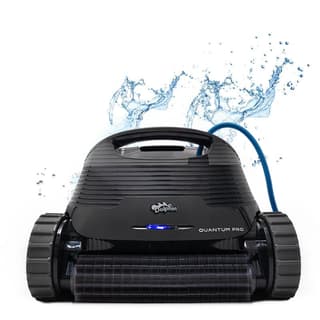
- Quantum: XXL MaxBin™ and NanoFilters™.
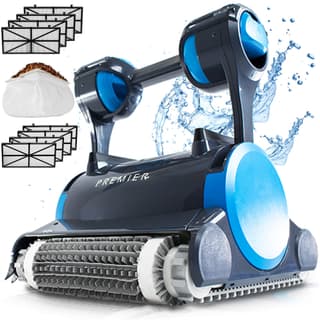
- Premier: Multi-Media™ system with multiple media choices, including a leaf bag.
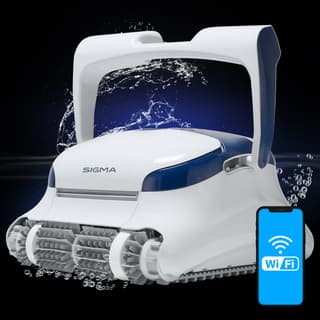
- Sigma: top-load cartridges and NanoFilters™.
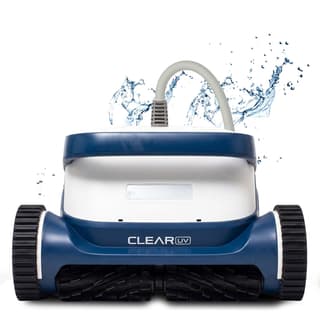
- Clear UV and Clear S: UltraFilter™ filtration; make sure the supplied filter set.
A cleaner’s filter supports debris removal; it does not replace circulation, water testing, chemical balance, or required sanitation. A UV-C feature likewise should not be treated as a substitute for normal pool-care practices.
4. Make sure Floor, Wall, and Waterline Coverage

A floor-only cleaner can be a practical fit when walls and the waterline are handled separately. Wall or waterline coverage may reduce manual brushing, but steps, benches, drains, sharp transitions, and unusual shapes can still need attention.
These are the coverage details shown for the models in this guide; see the product page and your surface material:
- Dolphin Escape: floor coverage.
- Dolphin Cayman: floor and wall coverage.
- Dolphin Quantum, Premier, and Sigma: floor, wall, and waterline coverage.
Choose waterline coverage when it addresses a real maintenance task in your pool—not simply because it appears higher in a lineup. No coverage label ensures that every part of every pool will be reached.
5. Motor Labels and Ownership Factors

Terms such as “residential,” “high-output,” or “commercial-grade” do not by themselves establish cleaning results or service life. Compare the complete system and the conditions the manufacturer lists for the exact model.
Current product listings describe the motor configurations this way; verify the wording and configuration on the current product page:
- Escape, Cayman, and Quantum: residential motor configurations.
- Premier: dual-motor configuration described as commercial-grade.
- Sigma: triple-motor configuration described as commercial-grade.
Also compare brush design, filter capacity, navigation, lifting weight, replacement parts, maintenance access, and current warranty terms. Usage, water chemistry, cleaning, storage, and repair history all affect lifespan; a motor label cannot predict it. Review the current warranty information before ordering.
6. Compare the Dolphin Lineup by Fit

The models below are corded options with different pool-size ranges, coverage, filtration, and controls. The details are comparison notes, not promises. Make sure the exact SKU, pool surface, maximum dimensions, cable reach, included equipment, and purchase details on each product page.
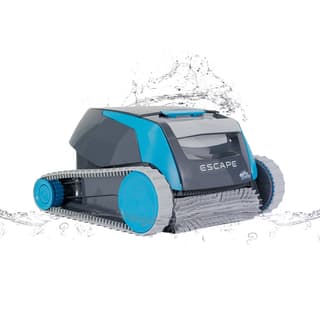
Dolphin Escape
Fit to investigate: above-ground or smaller pools when floor coverage and easier lifting are priorities.
- Pool fit: up to 30 feet; floor cleaning.
- What you get: MaxBin™ top-load filter, active brush, and tracked drive.
- Easy handling: only 14 pounds dry, with optional timer choices.
Dolphin Cayman
Fit to investigate: smaller inground pools when wall cleaning is needed but waterline coverage or app control is not a priority.
- Pool fit: up to 33 feet; floor and walls.
- What you get: MaxBin™ top-load filter, active brush, tracks, and weekly timer.
- Filter upgrade: optional NanoFilters™ catch fine dust, pollen, and dead algae.
Dolphin Quantum
Fit to investigate: inground pools needing waterline coverage, a large top-load basket, and myDolphin Plus™ app controls.
- Pool fit: up to 50 feet; floor, walls, and waterline.
- Filtration: XXL MaxBin™ and NanoFilters™.
- Controls: myDolphin Plus™ over Wi-Fi, weekly timer, and anti-tangle swivel.
Dolphin Premier
Fit to investigate: inground pools with recurring leaves or buyers who want multiple filter-media choices and physical power-supply controls.
- Pool fit: up to 50 feet; floor, walls, and waterline.
- Filtration: Multi-Media™ choices including cartridge media and a leaf bag.
- Convenience: dual motors, weekly timer, anti-tangle swivel, and Media-Alert™ indicator.
Dolphin Sigma
Fit to investigate: inground pools where app-based scheduling and navigation controls matter more than multiple physical filter-media formats.
- Pool fit: up to 50 feet; floor, walls, and waterline.
- Controls: myDolphin Plus™ app and gyroscope-assisted navigation.
- Flagship hardware: triple motors, NanoFilters™, and anti-tangle swivel.
7. Five Favorites Side by Side
Here’s the short version: how far each robot cleans, what it catches, and how much automation you get.
| Feature | Escape | Cayman | Quantum | Premier | Sigma |
|---|---|---|---|---|---|
| Max Pool Size | Up to 30 ft | Up to 33 ft | Up to 50 ft | Up to 50 ft | Up to 50 ft |
| Coverage | Floor | Floor + Walls | Floor + Walls + Waterline | Floor + Walls + Waterline | Floor + Walls + Waterline |
| Weekly Timer | Check upgrade options | Power supply + app | Power supply + app | ||
| NanoFilters™ | Check options | Check options | |||
| Motor Listing | Residential | Residential | Residential | Commercial-grade ×2 | Commercial-grade ×3 |
| Anti-Tangle Swivel | No | No | Yes | Yes | Yes |
| Warranty Listing* | 2 Years | 2 Years | 2 Years | 3 Years | 3 Years |
| App Control | — | — | myDolphin Plus™ | — | myDolphin Plus™ |
| Media-Alert™ | — | — | — | — | |
| Series | Max-Series™ | Max-Series™ | ProLine™ + Max-Series™ | ProLine™ | ProLine™ |
*Warranty length varies by model and condition. See each product page for current coverage.
8. Common Fit Questions

Do I need waterline cleaning?
It depends on where buildup occurs and how much manual brushing you are willing to do. waterline coverage can reduce that task, but it may not reach every step, corner, ledge, or transition. Make sure both waterline coverage and surface compatibility for your exact pool.
What's the difference between Quantum and Premier?
The current listings emphasize different filter formats:
- Quantum: XXL MaxBin™, NanoFilters™, myDolphin Plus™ app controls, weekly timer, and waterline coverage.
- Premier: Multi-Media™ choices, leaf bag, Media-Alert™, weekly timer, and waterline coverage.
Compare Quantum when a large top-load basket is the priority; compare Premier when changing filter media for leaves and finer debris is useful. Make sure specifications, inclusions, and warranty terms on both product pages.
What's the difference between Premier and Sigma?
The current listings emphasize different controls and filtration:
- Premier: Multi-Media™ options, leaf bag, Media-Alert™, and physical power-supply controls.
- Sigma: app controls, scheduling functions, gyroscope-assisted navigation, and NanoFilters™.
Compare Premier when filter flexibility matters; compare Sigma when app-based controls matter. Make sure specifications, app compatibility, included media, and warranty terms on each product page.
Should I choose corded or cordless?
Choose based on your routine. Corded models avoid charging between cycles but require a suitable outlet, enough cable, and cable management. Cordless models remove the operating cable from the water but require you to compare runtime, recharge time, retrieval, battery storage, and battery-warranty terms. Neither format alone determines cleaning quality.
Does a “commercial-grade” motor label mean a longer lifespan?
No fixed lifespan follows from a motor label. Pool conditions, usage, filter care, water chemistry, storage, parts availability, and repair history all matter. Treat motor terminology as one specification and compare the complete cleaner, service options, and current warranty terms.
Could the Escape fit my smaller pool?
It may belong on the shortlist when your pool type, length, surface, and desired floor coverage match the current listing. It is not a substitute for wall or waterline coverage. Make sure cable reach, lifting weight, supplied filter, control options, and compatibility on the current product page.
9. Shortlist Starting Points
Use these as comparison prompts, not final recommendations. If a pool falls outside a model’s current size, surface, or coverage, remove that model from the shortlist.
Still torn between two models? Ask a Pool Robot Expert. Tell us the pool size and what keeps falling into it—we’ll give you a straight answer.