Bluetooth vs Wi-Fi at the Pool
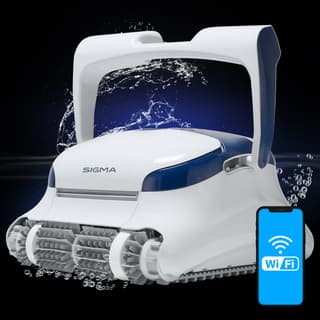
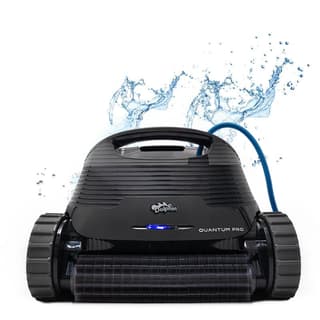
Both are radio links, but they connect different things. Bluetooth joins your phone straight to the power supply over a short distance. Wi-Fi joins the power supply to your home router, and your phone reaches it through the network or the internet. That one difference explains every row in the table below.
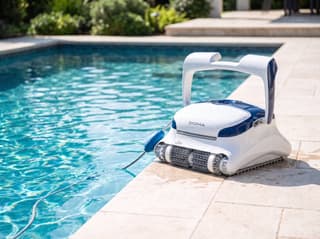
Neither link goes through the water. Commands travel from the power supply down the cable to the robot, so what matters is the signal at the power supply, not at the deep end.
Test Your Signal Before You Choose
This takes five minutes and decides whether the price gap between the two picks is money well spent.
Walk to where the power supply will sit. It has to be back from the water's edge by the distance the manual gives and within reach of an outlet, so that is usually a wall, a post or the equipment pad. Stand there with your phone on Wi-Fi, not cellular data, and load a web page. Do it again with the gate closed or the door shut, the way the yard normally is.
If pages load without trouble, Wi-Fi reaches and the Quantum's app has what it needs. If the signal is weak or absent, you have three reasonable choices: extend the network toward the pool, choose the Sigma and use Bluetooth poolside, or skip app control and run a robot from its timer. Check the manual for the network requirements before you buy any extra equipment.
What Bluetooth Will Not Do
Bluetooth does not make a robot clean better. It carries commands. The motors, brushes and filters do the work, and a robot with no wireless control at all cleans the same way once it is running.
It will not reach across a large property or through several walls, so do not expect to start a cycle from an upstairs bedroom on Bluetooth alone. It is not a handheld remote either: none of these robots ships with one. And it does not lift the robot out or empty the filter. An alert can tell you the filter is full, but the walk to the pool is still yours.
If your pool has a hard job, such as heavy leaves or fine silt, choose the robot for that first and treat the connection as a tiebreaker. The rest of our buying guides start from the pool, not the phone.
Getting a Dependable Connection at the Pool
- Do the first pairing while standing next to the power supply, with the robot plugged in, before you walk off to check range.
- Keep the power supply in open air where the manual allows. Metal cabinets and masonry walls weaken short-range signals.
- Turn on the app's alerts so a full filter reaches you without a walk to the pool.
- Set the schedule once, then leave the phone out of it. Day-to-day cleaning should not depend on anyone opening an app.