How These Robots Find Their Way
It helps to know what is inside the machine. None of the seven robots in these guides maps a pool with cameras or sonar, and none shows you a floor plan. They use two things.
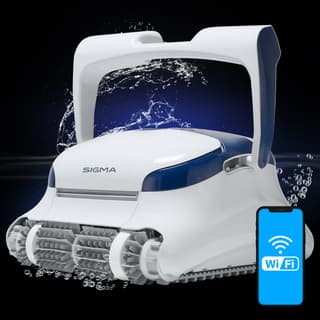
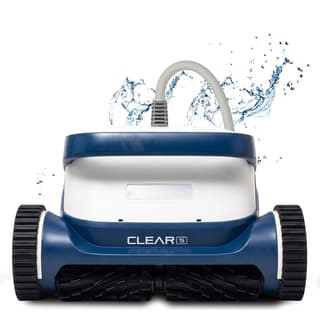
The first is scanning software: a set of rules for driving lanes, turning at walls, climbing and coming back down, so the pattern works its way across the pool instead of wandering. SmartNav 2.0 and 3.0 are generations of that software. The second, on some robots, is motion sensing. A gyroscope measures turning and an accelerometer measures tilt and movement, which lets the robot correct itself when a slope, a cable tug or a return jet nudges it off line. The Sigma has a gyroscope. The Clear S and Clear UV have both sensors. The other four Dolphins rely on SmartNav 2.0 scanning alone.
Does Your Pool Need More Than SmartNav 2.0?
Match the navigation to the outline, then stop spending.
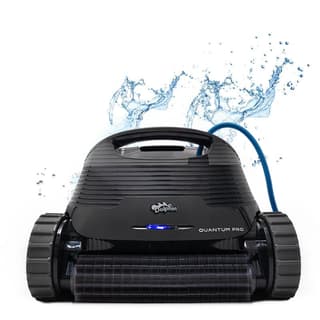
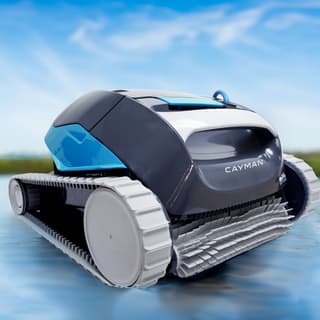
- Rectangle or oval, few obstacles. SmartNav 2.0 is all you need. Choose the Quantum for a pool up to 50 ft or the Cayman up to 33 ft. The lower-priced Escape runs the same software.
- Kidney or mild freeform. SmartNav 2.0 still copes. Step up only if the same area is missed cycle after cycle.
- Strongly irregular, with coves or many fixtures. This is where the Sigma's gyroscope, or the Clear S with its two sensors, earns the price.
- L-shaped. Rate the pool by its longer leg, set the power supply at the elbow, and check the cable against the route to the far end of each leg.
What Looks Like Bad Navigation but Is Not
Before paying for a smarter robot, rule out the causes that software cannot fix. A twisted or tangled cable pulls the robot sideways and shortens its reach. A filter packed with debris cuts the water flow that helps it grip, so it slides or stalls on walls. Worn tracks or brushes do the same. Strong return jets can push a light robot off its lane.
If the robot misses the same strip every time, change where it starts or where the power supply sits and watch one more cycle. If the missed area moves, the cause was setup, not navigation.
Helping Any Robot Cover the Whole Pool
- Lay the cable out straight before a run and put only what the pool needs in the water. Slack cable is the usual cause of tangles.
- Place the power supply near the middle of the pool's long side, so the cable reaches every corner with the least slack.
- Take toys, floats and thermometers out before a cycle. Anything the robot can bump or wrap its cable around distorts the pattern.
- With the Clear S, let it run two or three full cycles before you decide whether coverage is good.