
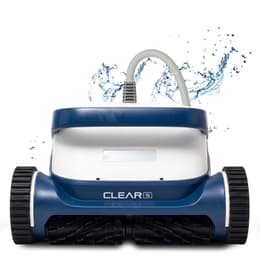
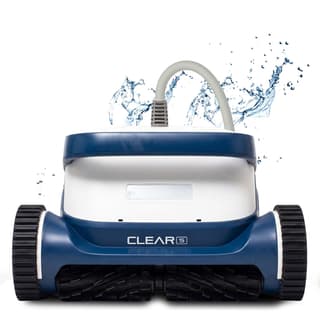
Clear S
Best for: Premium clean without the UV price
CoverageFloor, walls & waterline
Pool sizeUp to 50 ft
Warranty3 years
$1749
See this cleaner
Part of the Dolphin Liberty lineup · compare all 4 models

The Liberty option for 50-ft pools, with a 3-hour battery and Multi-Layer filtration. Corded flagships avoid charging and battery upkeep.
Maytronics dealer price as of October 1, 2026.

These cleaners share the features that matter most—and you can order them now with free shipping.
Best for: Premium clean without the UV price
CoverageFloor, walls & waterline
Pool sizeUp to 50 ft
Warranty3 years
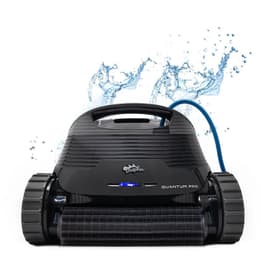
Best for: Best all-around inground pick
CoverageFloor, walls & waterline
Pool sizeUp to 50 ft
Warranty2 years
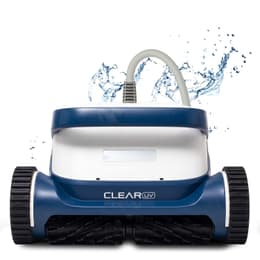
Best for: Cleaner, sanitised water
CoverageFloor, walls & waterline
Pool sizeUp to 50 ft
Warranty3 years
Doubles the runtime of the 33-ft Liberty 200/300/400 to cover full 50-foot pools.
Nested coarse and ultra-fine filtration captures leaves and fine silt simultaneously.
Side water-jet sweeping helps clear shallow entry steps alongside walls and waterlines.
Acoustic rattle retrieval climbs the wall on command; Eco Mode maintains floors for up to 2 weeks.
Configure cycle modes, Eco intervals, and settings before submerging.
Magnetic inductive charging and 25.8-lb chassis backed for 3 years.
The Liberty 200, 300, and 400 suit pools up to 33 ft. The Dolphin Liberty 600 expands to 50-ft pools with a 3-hour battery and Multi-Layer filtration, but weighs 25.8 lbs. Compare the corded Dolphin M600 or Clear UV if you would rather avoid charging and long-term battery replacement.
The Dolphin Liberty 600 is a cordless robotic pool cleaner from Maytronics, rated for in-ground and above-ground pools up to 50 ft long. It cleans the floor, walls & waterline on a 3-hour default cycle, using an active scrubbing brush.
Filtration is a multi-layer filter with top access, and an ultra-fine filter kit is included in the box. It connects to the Maytronics One app. The robot weighs 25.8 lb and carries a 3-year Maytronics warranty.
The Dolphin LIBERTY 600 is Maytronics most advanced cordless robot, designed to provide a comprehensive and professional cleaning solution for all your pool surfaces. The robot efficiently scrubs the pool floor, walls, waterline, and even lounge areas, while thoroughly filtering coarse dirt and fine particles.The advanced cartridge filter features a perimeter seal for perfect dirt capture, along with two interchangeable panels for optimal adjustment to pool water conditions. Maytronics, on the Dolphin Liberty 600
| Maximum Pool Length | 50 ft |
|---|---|
| Cleaning Coverage | Floor, Walls and Waterline |
| Filter Type | Multi-Layer |
| Filter Access | Top Access |
| Additional Filter in the Box | Ultra-Fine Filter Kit |
| Mobile Application | Maytronics One |
| Default Cycle Time | 3 hours |
| Warranty | 3 years |
| Waterline Scrubbing | Yes |
|---|---|
| Active Brush | Yes |
| Brush Type | Standard Brush |
| Pool Classification | In ground and Above Ground |
|---|---|
| Pool Shape | Rectangular, Round, Free Shape, Kidney |
| Package Dimensions | 23.4x19.6x13.5 in |
|---|---|
| Robot Weight | 25.8 lb |
Specifications as published by Maytronics for product no. 99998600-US (UPC 810071222924).
Straight answers on parts, ownership, and the closest models you can order today.
The Liberty 600 doubles battery runtime from 1.5 hours to 3 hours, expands pool size from 33 ft to 50 ft, and upgrades to a nested Multi-Layer top-load basket.
For pools up to 33 ft, our Dolphin Liberty 200 ($999) is in stock; for 50-ft cordless Amazon options, see the Nautilus EON 100 and EON 120D.
Maytronics' own fixes for the problems owners report most, followed by the symptom table from the user manual.
Our cordless models, the EON™ and Liberty 400/600, do not remain connected to Wi-Fi or Bluetooth while submerged and operating in the water.
After removing the robot from the water, if it was connected before, the Wi-Fi connection between the robot and the app will automatically reestablish.
To use the Maytronics One app, connect to the robot via Wi-Fi, configure your desired cleaning mode or weekly schedule (UltraRun™ Mode/Eco Mode), and then place the robot in the pool to begin the cycle. Once the robot is in the pool, it will run the selected program independently.
Our corded units allow for continuous Wi-Fi connectivity, as the connection is maintained through the power supply, which remains outside the water.
Note- The Liberty 400 pairs via Bluetooth only to the MyDolphin Plus app.
If the robot doesn't start working after pressing the power button or by initiating from the app, then try the following troubleshooting steps:
If the power button LED is red, please open the MaytronicsOne App to check for an error alert and follow the relevant troubleshooting steps.
Make sure the robot isn't set on Floor Only mode. On Regular, Ultra-Clean, and the 1-week Eco Mode settings, the robot will ascend steps and sun ledges.
We recommend setting the robot to Regular or Ultra-Cleaning mode. The robot will reach the steps during the 2/3-hour cleaning cycle. The robot uses its jet spray from the bottom to push debris off the steps, and then it cleans any debris that lands on the floor.
For best results with sun-ledge cleaning, the robot needs a water depth of 14". The feature may work differently on 12"-14" deep sun ledges.
It is crucial for the robot to scan the pool and map out the location of the stairs or sun ledge during the first few cycles.
If the robot starts the cycle and then stops before the cycle is complete, or there is a red LED on the robot interface, try the following troubleshooting steps:
Ensure the robot is fully charged and that the charger is working correctly.
Ensure the impeller is clean.
Ensure the driving system is clear.
Clean the filter cartridges.
Ensure the robot is operating in the required conditions (pool water temperature between 41°F – 95°F). Imbalanced chemicals and temperature can cause the pool floor to be slippery.
If the power button LED is red, please open the app and verify the cause of error and its relevant troubleshooting steps.
Make sure that the Cycle Selector feature is activated correctly:
Still need assistance? Click the blue chat icon in the bottom-right corner of your screen to start a conversation with our AI agent — 'Phin'!
Eco Mode is included with the Dolphin Liberty 200 (manufactured in 2024 onwards), 300 and 400.
Make sure that the Eco Mode feature is activated correctly:
Press the Power (ON) button to activate the feature until the LED lights up.
Press the Power (ON) button again for more than 6 seconds (ignore the blinking purple LED, continue pushing the Power button).
Stop pressing the Power (ON) button when the green LED blinks 3 times (this means it has been programmed). Place the robot in the pool, and it is supposed to start working within 30 seconds.
To make sure that you have activated the Eco Mode, it is important to ignore the blinking purple LED lights and to continue pushing the button until you see the LED blinking green.
To cancel the Eco Mode, take the robot out of the pool and connect it to the charger.
| Symptom | Possible reason | What to do |
|---|---|---|
| tom | Possible reason | Corrective action |
| pair the nics OneTM app to otic pool cleaner. | • The Bluetooth® on one of your devices is either OFF or not in pairing mode. • The mobile phone is too far from the robot. • Mobile phone location is OFF. You did not give the required permissions when installing the app. | • Turn the Bluetooth® OFF and on in your smartphone. For iOS – Go to settings → Bluetooth®. • Get closer to the robot. • Turn mobile phone location ON • Check that the robot's charger is connected well and that your mobile phone's Bluetooth® is searching for nearby devices. • Try uninstalling and reinstalling the Maytronics OneTM app, and give all permissions. If it still doesn't find your robot, try restarting your mobile phone. • If none of the above troubleshooting helps, contact wecare@maytronics.com |
| Fi® doesn't stay ed. It works via th® when near ot, but loses requently. | • The Wi-Fi® router alternates between 2.4 and 5 GHz frequencies causing disconnection when the 2.4 one is lost. • The Wi-Fi® signal is too weak to maintain a connection. | • The device connects only to the standard 2.4 GHz Wi-Fi® frequency. If you have a dual or quad band router, to prevent connectivity issues, split and give separate names to the 2.4 and 5GHz networks. Consult your internet provider or see online instructions for your specific router brand. • If the signal near the power supply is not strong enough to easily stream an online video, consider installing a 2.4GHz Wi-Fi® extender. |
From the Dolphin Liberty 600 user manual's troubleshooting table.
16 Maytronics parts fit the Dolphin Liberty 600; the most common 12 are here. Part numbers are Maytronics'.
58984402LF998315249991463-R49991467-R49991481-ASSY9991481-R19991496-ASSY9991794-R19991795-R19993400-ASSY9995266-R199955387-ASSYThis model next to the three ProLine™, Max-Series™ and Clear™ robots closest to its price. Use the dropdowns to put any robot in a column: every Dolphin line, the Clear™ Series, and the other brands we carry.
| Model |
You're viewing
$1729
View details
|
Top pick
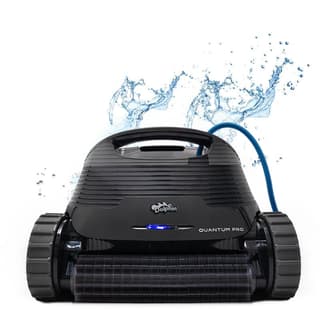 $1649
Buy now
|
Top pick
 $1749
Buy now
|
Top pick
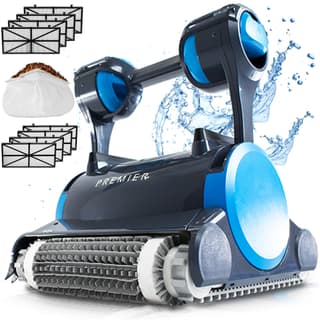 $1999
Buy now
|
|---|---|---|---|---|
| Price | $1729 | $1649 | $1749 | $1999 |
| Power | Cordless (battery) | Corded (low-voltage) | Corded (59-ft swivel cable) | Corded (low-voltage) |
| Pool size | In-ground and above-ground up to 50 ft | Up to 50 ft | Up to 50 ft | Up to 50 ft |
| Coverage | Floor, walls & waterline | Floor, walls & waterline | Floor, walls & waterline | Floor, walls & waterline |
| Control | Maytronics One app | Weekly timer (power supply) | CLEAR app (Wi-Fi) | Weekly timer (power supply) |
| Filtration | Multi-Layer + Ultra-Fine Filter Kit | XXL MaxBin™ top-load + NanoFilters™ | UltraFilter™ (1μm / 180μm) | Multi-Media™ (4 media + leaf bag) + NanoFilters™ |
| Cycle / runtime | 3 hours | 2 hours | — | 3 hours |
| Warranty | 3 years | 2 years | 3 years | 3 years |
| Owner rating | — | — | — | — |
| Best for | In-ground and above-ground pools up to 50 ft, floor, walls & waterline | Best all-around inground pick | Premium clean without the UV price | Heavy leaves & debris |
Prices are current as of our latest check. Every column links to that model's own page.
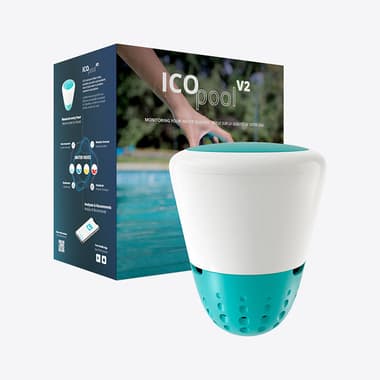
ICO tests your water every hour and tells you exactly what to add—before cloudy water or algae ruins the weekend.
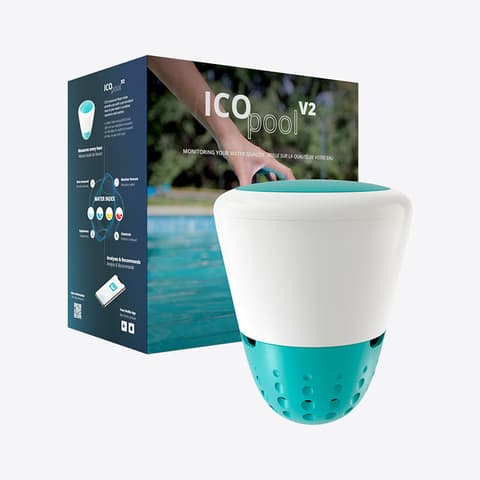
Hourly water readings and exact dosing help—without another subscription.