
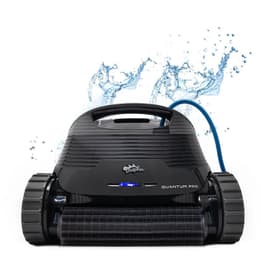
Dolphin Quantum
Best for: Best all-around inground pick
CoverageFloor, walls & waterline
Pool sizeUp to 50 ft
Warranty2 years
$1649
See this cleaner
Part of the Dolphin EON lineup · compare all 4 models

Maytronics' flagship cordless cleaner, with a charging dock, BackWash filtration, broad pool coverage, and 3-year warranty.

These cleaners share the features that matter most—and you can order them now with free shipping.
Best for: Best all-around inground pick
CoverageFloor, walls & waterline
Pool sizeUp to 50 ft
Warranty2 years
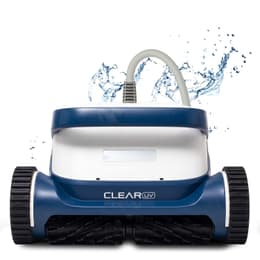
Best for: Cleaner, sanitised water
CoverageFloor, walls & waterline
Pool sizeUp to 50 ft
Warranty3 years
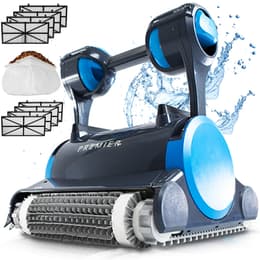
Best for: Heavy leaves & debris
CoverageFloor, walls & waterline
Pool sizeUp to 50 ft
Warranty3 years
Streamlines rinsing fine grit and leaves from the top-access chamber.
Upright charging station stores and recharges the 24.3-lb cleaner neatly.
Covers floors, walls, tile lines, corners, and shallow tanning ledges up to 50 ft.
Full mode customization, scheduling, and status tracking.
Selectable cycle options tailored to light or heavy debris weeks.
Protected by Maytronics' top 3-year warranty tier.
The Dolphin EON 120d is also sold as the Nautilus EON 120D. Choose it for cable-free cleaning and dock charging. Compare the corded Dolphin Sigma, Dolphin Premier, or Clear UV if unlimited runtime and avoiding battery replacement matter more.
The Dolphin EON 120d is a cordless robotic pool cleaner from Maytronics, rated for in-ground and above-ground pools up to 50 ft long. It cleans the floor, walls, waterline, steps, ledges & corners on a 2-hour default cycle (cycle options: 1.5 h, 2 h, 2.5 h), using an active scrubbing brush.
Filtration is a backwash filter with top access. It connects to the Maytronics One app. The robot weighs 24.3 lb and carries a 3-year Maytronics warranty.
The premium robotic pool cleaner with purposeful engineering and smart design, it eliminates the daily hassle of filter cleaning and charging. Maytronics, on the Dolphin EON 120d
| Maximum Pool Length | 50 ft |
|---|---|
| Cleaning Coverage | Floor, Walls and Waterline, Steps, Sun Ledge, Corners, Safety Ledge |
| Cycle Options | 1.5 h, 2 h, 2.5 h |
| Filter Type | BackWash Filter |
| Filter Access | Top Access |
| Mobile Application | Maytronics One |
| Default Cycle Time | 2 hours |
| Warranty | 3 years |
| Waterline Scrubbing | Yes |
|---|---|
| Active Brush | Yes |
| Brush Type | Standard Brush |
| Coating | Liner, Gunnite, Stainless Steel, Ceramic, Mosaic, Glass, Fiberglass, Slippery mosaic or tiles |
|---|---|
| Pool Classification | In ground and Above Ground |
| Pool Shape | Rectangular, Round, Free Shape, Kidney |
| Package Dimensions | 22.1x17.7x12.4 in |
|---|---|
| Robot Weight | 24.3 lb |
Specifications as published by Maytronics for product no. 99994410-US.
Straight answers on parts, ownership, and the closest models you can order today.
See the Dolphin Nautilus EON 120D page for current retailer pricing, or ask us to compare cordless and corded flagships for your pool.
Our cordless models, the EON™ and Liberty 400/600, do not remain connected to Wi-Fi or Bluetooth while submerged and operating in the water.
After removing the robot from the water, if it was connected before, the Wi-Fi connection between the robot and the app will automatically reestablish.
To use the Maytronics One app, connect to the robot via Wi-Fi, configure your desired cleaning mode or weekly schedule (UltraRun™ Mode/Eco Mode), and then place the robot in the pool to begin the cycle. Once the robot is in the pool, it will run the selected program independently.
Our corded units allow for continuous Wi-Fi connectivity, as the connection is maintained through the power supply, which remains outside the water.
Note- The Liberty 400 pairs via Bluetooth only to the MyDolphin Plus app.
If your EON is not working properly, the first and most important step is to make sure your robot software is up to date.
Software updates include the latest improvements and fixes to help ensure your robot performs as expected.
Update Your EON Robot Software
During the update:
Once the software update is complete, connect the robot to 2.4 GHz Wi-Fi. You can also choose to skip Wi-Fi setup and connect later.
Once the robot is successfully connected, the LED will blink three times and then turn solid blue.
Important: Always make sure your EON is running the latest available software before continuing with additional troubleshooting.
Keeping the robot software updated ensures your EON has the latest improvements and capabilities.
Dolphin EON™ reduces the time spent cleaning filters thanks to its patented backwash filtration technology (DebrisLock™).
Instead of cleaning the filter frequently, maintenance can be reduced to about 5 minutes once per week, helping save up to 20 hours of maintenance time per year.
DebrisLock™ technology works by:
The DebrisLock™ backwash filter comes with EON 120d and is available as an add-on for EON 100.
The EON 120d comes with our ultra-fine (14 micron) DebrisLock™ filter basket, with a lid that traps more debris through filtration from all directions.
The DebrisLock™ filter basket is designed for efficient debris collection and improved cleaning performance. It features 4-liter capacity, allowing it to collect more debris during each cleaning cycle. The closed chamber design helps prevent dirt and debris from returning to the pool water.
The DebrisLock™ filter basket also includes an integrated filter backwash system. This system has an extra 1-liter backwash compressed container that helps lock debris inside the filter. The backwash function operates automatically at the end of the cleaning cycle and when the filter is full to improve overall performance.
Our Dolphin EON™ features an advanced filter design that captures more debris and fine particles during each cleaning cycle. In internal 70-minute turbidity tests, the Dolphin EON™ 120d delivered water up to 4X clearer compared to other leading pool robots.
The test compared Dolphin EON™ 120d, Aiper Scuba X1 ProMax, and M400 robots. All units started with identical water turbidity levels of 7 NTU.
Our filtration advantages include:
Together, these features help deliver noticeably clearer pool water after every clean.
Maytronics' own fixes for the problems owners report most, followed by the symptom table from the user manual.
Our cordless models, the EON™ and Liberty 400/600, do not remain connected to Wi-Fi or Bluetooth while submerged and operating in the water.
After removing the robot from the water, if it was connected before, the Wi-Fi connection between the robot and the app will automatically reestablish.
To use the Maytronics One app, connect to the robot via Wi-Fi, configure your desired cleaning mode or weekly schedule (UltraRun™ Mode/Eco Mode), and then place the robot in the pool to begin the cycle. Once the robot is in the pool, it will run the selected program independently.
Our corded units allow for continuous Wi-Fi connectivity, as the connection is maintained through the power supply, which remains outside the water.
Note- The Liberty 400 pairs via Bluetooth only to the MyDolphin Plus app.
If your EON is not working properly, the first and most important step is to make sure your robot software is up to date.
Software updates include the latest improvements and fixes to help ensure your robot performs as expected.
Update Your EON Robot Software
During the update:
Once the software update is complete, connect the robot to 2.4 GHz Wi-Fi. You can also choose to skip Wi-Fi setup and connect later.
Once the robot is successfully connected, the LED will blink three times and then turn solid blue.
Important: Always make sure your EON is running the latest available software before continuing with additional troubleshooting.
Keeping the robot software updated ensures your EON has the latest improvements and capabilities.
Follow the steps to clean the impeller:
- Remove the filter from the robot.
- Connect the charger to the robot and plug it in.
- As a safety measure, take a screwdriver and put it in the opening between the handle and the filter cover latch. (Do not skip this step!)
- Open the filter cover door to reach the impeller opening.
- Remove any debris that is stuck in the impeller.
Click Accept to watch the video
Video: https://www.youtube.com/embed/Uh1PZg7zNRc
How to replace the DebrisLock™ basket filter panels:
Remove the old filter panels
Install the new filter panels
Use the Clicker to stop or pick up the robot! Read more to understand the differences:
Note: The Clicker is for retrieving the Dolphin Liberty 300/400/600 at the end of a cycle.
The Liberty 600 and EON™ 100/120d feature the Click-to-Stop feature, which lets you stop the robot mid-cycle.
If you want to pick up your robot:
When the cleaning cycle ends, the robot will wait at the preferred Homing wall selected in the Maytronics One app, or at a wall chosen at the beginning of the cycle if no Homing wall is set, and wait for pickup.
To retrieve the robot, shake the Clicker in the water for at least 3 to 5 seconds. The robot will climb the wall and remain there for about one minute. If it is not removed, it will go back down and wait again at another wall.
If you want to stop your robot (Liberty 600 and EON™ 100/120d):
During the cleaning cycle, shake the Clicker for 3–5 seconds to stop the robot. Make sure the robot is on the pool floor and not climbing when you shake the Clicker.
Then, shake it again, and the robot will go towards the Homing wall, provided the Homing feature has been calibrated.
Important: The robot will not respond to the Clicker while it is actively climbing. The Homing feature is also unavailable when Beach Entry is enabled in the app.
Clicker in Eco Mode/UltraRun™ Mode:
Using the Clicker in Eco/UltraRun™ Mode cancels the remaining scheduled cycles. Restart the Eco/UltraRun™ Mode before returning the robot to the pool.
While in Eco/UltraRun™ Mode, the robot can detect the Clicker for 14 days. If the Eco/UltraRun™ Mode starts with a full battery, the Clicker feature remains available for at least 2 days after the 2-week (when applicable) Eco/UltraRun™ Mode.
Note: The Clicker is for retrieving the Dolphin Liberty 300/400/600 at the end of a cycle.
The Liberty 600 and EON™ 100/120d feature the Click-to-Stop feature, which lets you stop the robot mid-cycle.
Try these steps if Click Up isn’t working:
This can also occur if the pool or ground surface has steep slopes.
Still need assistance? Click the blue chat icon in the bottom-right corner of your screen to start a conversation with our AI agent — 'Phin'!
| Symptom | Possible reason | What to do |
|---|---|---|
| tom | Possible reason | Corrective action |
| pair the ics OneTM app to tic pool cleaner. | • The Bluetooth® on one of your devices is either OFF or not in pairing mode. • The mobile phone is too far from the robot. • Mobile phone location is OFF. You did not give the required permissions when installing the app. • Battery is too low. | • Turn the Bluetooth® OFF and on in your smartphone. For iOS – Go to settings → Bluetooth®. • Get closer to the robot. • Turn mobile phone location ON • Fully charge the robot • Check that the robot's charger is connected well and that your mobile phone's Bluetooth® is searching for nearby devices. • Try uninstalling and reinstalling the Maytronics OneTM app, and give all permissions. If it still doesn't find your robot, try restarting your mobile phone. • If none of the above troubleshooting helps, contact wecare@maytronics.com |
| Fi® doesn't stay ed. It works via th® when near t, but loses equently. | • The Wi-Fi® router alternates between 2.4 and 5 GHz frequencies causing disconnection when the 2.4 one is lost. • The Wi-Fi® signal is too weak to maintain a connection. | • The device connects only to the standard 2.4 GHz Wi-Fi® frequency. If you have a dual or quad band router, to prevent connectivity issues, split and give separate names to the 2.4 and 5GHz networks. Consult your internet provider or see online instructions for your specific router brand. • If the signal near the power supply is not strong enough to easily stream an online video, consider installing a 2.4GHz Wi-Fi® extender. |
From the Dolphin EON 120d user manual's troubleshooting table.
11 Maytronics parts fit the Dolphin EON 120d. Part numbers are Maytronics'.
58984402LF9987801-ASSY9991794-R19991795-R19993400-ASSY99956070-ASSY99960103-ASSY9996085-ASSY9998710-R199987101-ASSY9998718-ASSYThis model next to the three ProLine™, Max-Series™ and Clear™ robots closest to its price. Use the dropdowns to put any robot in a column: every Dolphin line, the Clear™ Series, and the other brands we carry.
| Model |
You're viewing
See price
View details
|
Top pick
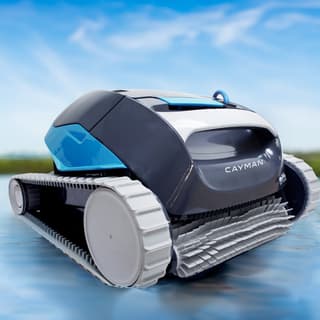 $1079
Buy now
|
Top pick
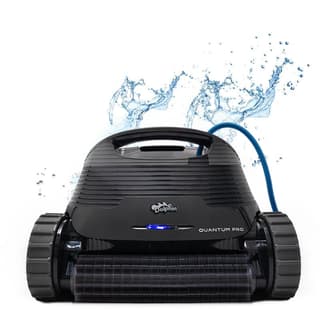 $1649
Buy now
|
Top pick
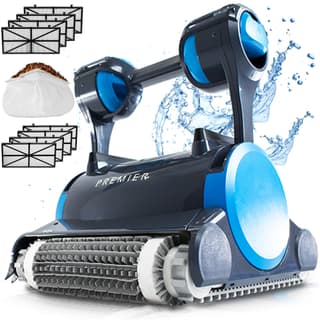 $1999
Buy now
|
|---|---|---|---|---|
| Price | See price | $1079 | $1649 | $1999 |
| Power | Cordless (battery) | Corded (low-voltage) | Corded (low-voltage) | Corded (low-voltage) |
| Pool size | In-ground and above-ground up to 50 ft | Up to 50 ft | Up to 50 ft | Up to 50 ft |
| Coverage | Floor, walls, waterline, steps, ledges & corners | Floor, walls & waterline | Floor, walls & waterline | Floor, walls & waterline |
| Control | Maytronics One app | Weekly timer (power supply) | Weekly timer (power supply) | Weekly timer (power supply) |
| Filtration | BackWash Filter | MaxBin™ top-load basket (NanoFilter™-ready) | XXL MaxBin™ top-load + NanoFilters™ | Multi-Media™ (4 media + leaf bag) + NanoFilters™ |
| Cycle / runtime | 2 hours (1.5 h, 2 h, 2.5 h) | 2 hours | 2 hours | 3 hours |
| Warranty | 3 years | 2 years | 2 years | 3 years |
| Owner rating | — | — | — | — |
| Best for | In-ground and above-ground pools up to 50 ft, floor, walls, waterline, steps, ledges & corners | Best value wall-climber | Best all-around inground pick | Heavy leaves & debris |
Prices are current as of our latest check. Every column links to that model's own page.
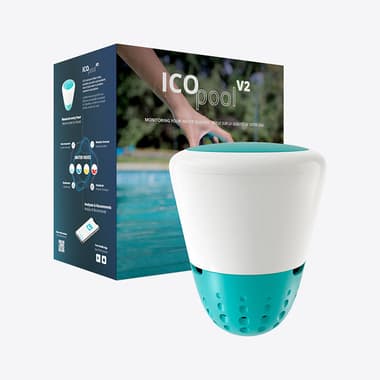
ICO tests your water every hour and tells you exactly what to add—before cloudy water or algae ruins the weekend.
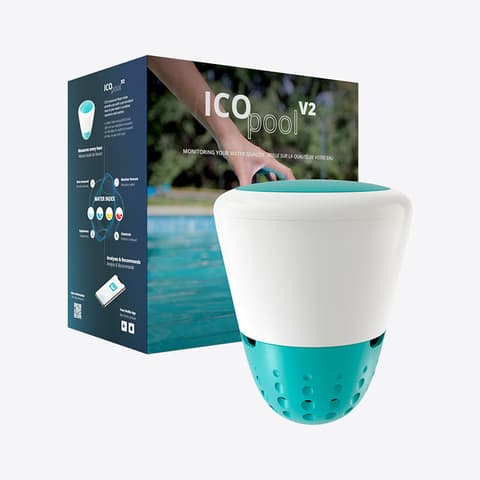
Hourly water readings and exact dosing help—without another subscription.