
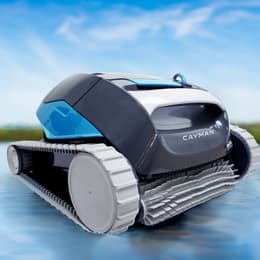
Dolphin Cayman
Best for: Best value wall-climber
CoverageFloor, walls & waterline
Pool sizeUp to 50 ft
Warranty2 years
$1079
See this cleaner
Part of the Dolphin Active lineup · compare all 9 models

A proven 50-ft waterline cleaner. The S200 shares its core cleaning platform, while the Explorer E30 adds Wi-Fi control.
Maytronics dealer price as of October 1, 2026.

These cleaners share the features that matter most—and you can order them now with free shipping.
Best for: Best value wall-climber
CoverageFloor, walls & waterline
Pool sizeUp to 50 ft
Warranty2 years
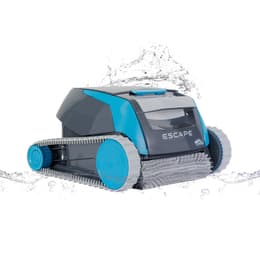
Best for: Above-ground & small pools
CoverageFloor only
Pool sizeUp to 33 ft (above-ground)
Warranty2 years
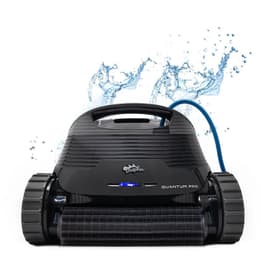
Best for: Best all-around inground pick
CoverageFloor, walls & waterline
Pool sizeUp to 50 ft
Warranty2 years
Multi-directional water jets grip vertical walls and scrub laterally along the tile line.
Front and rear brushes lift algae and scum rings across 50-ft inground pools.
Includes interchangeable rough-leaf mesh and ultra-fine silt pleated panels.
Runs automatic 2-hour cleanings daily, every 2nd day, or every 3rd day.
Helps prevent cord tangles across full-size residential pools.
Drains water rapidly out the bottom vents when lifted.
The Dolphin Active 20 combines dual active brushes, PowerStream™ waterline scrubbing, a Weekly Timer, and fine plus ultra-fine filters. The Dolphin S200 offers the closest online match, the Explorer E30 Wi-Fi adds app scheduling, and the Dolphin Quantum steps up to a larger single basket.
The Dolphin Active 20 is a corded robotic pool cleaner from Maytronics, rated for in-ground pools up to 50 ft long. It cleans the floor, walls & waterline on a 2-hour default cycle, using 2 brushes, with a rated suction of 4,000 GPH.
Filtration is a fine filter kit with top access, and an ultra-fine filter kit is included in the box. It has a weekly timer, and there is no app control. The cable has an anti-tangle swivel. The robot weighs 18.3 lb and carries a 2-year Maytronics warranty.
| Maximum Pool Length | 50 ft |
|---|---|
| Cleaning Coverage | Floor, Walls and Waterline |
| Default Cycle Time | 2 hours |
| Warranty | 2 years |
| Delay Feature | No |
| Weekly Timer | Yes |
| Mobile Application | No |
| Anti Tangling Swivel | Yes |
| Additional Filter in the Box | Ultra-Fine Filter Kit |
| Filter Type | Fine Filter Kit |
| Filter Access | Top Access |
|---|---|
| Full Filter Indicator | No |
| Waterline Scrubbing | Yes |
| Enhanced Cleaning Cycles | No |
| Active Brush | Yes |
| Number of Brushes | 2 |
| Brush Type | Standard Brush |
| Suction Rate | 4,000 GPH |
| Automation Mode | Yes |
|---|
| Pool Shape | Rectangular, Round, Free Shape, Kidney |
|---|---|
| Pool Classification | In Ground |
| Package Dimensions | 22.1x17.7x12.4 in |
|---|---|
| Robot Weight | 18.3 lb |
| Net Height | 11.6 in |
| Net Length | 17.8 in |
| Net Width | 15.7 in |
| Remote Control | No |
|---|
Specifications as published by Maytronics for product no. 99996203-USW (UPC 724131497934).
Straight answers on parts, ownership, and the closest models you can order today.
Yes—both share Maytronics' 50-ft dual-brush PowerStream™ waterline-scrubbing platform with Weekly Timer and dual filtration sets. Buying our Dolphin S200 ($999) saves ~$190 off the Active 20's $1,189 dealer list price.
It uses Maytronics' genuine 120W Weekly Timer Power Supply (99956035US-ASSY).
Congratulations on your new Dolphin! We are so happy to have you as a part of the family! After you have unpacked the robot and removed all the plastic wrapping it's time to start!
Preparing your Dolphin for use:
Step 1: Preparing
Caution: We do not recommend using an extension cord.
Step 2: Launching
Getting started!
Place the Dolphin in the pool and let it sink to the bottom. In the case of brushes with foam rings, or foam brushes, press the brushes into the water until they are completely soaked.
Step 3: Starting
You can now start your Dolphin robot using the ON/OFF button on your power supply.
Here is some additional information on how to use your Dolphin:
If you want to know more about your robot features, we advise you to refer to the user manual of your robot.
You will need to indicate the model of your Dolphin or its serial number.
After each cleaning cycle, for optimal maintenance, we recommend removing the Dolphin from the pool and storing the robot and the power supply away from direct sunlight, excessive heat, or cold to prevent accelerated wear and tear.
Store the Dolphin robot in a shaded spot on the Dolphin caddy and wrap the cable carefully to prevent any kinks.
The power supply unit should be used in a covered, shaded area protected from the outdoor elements, including rain, heat, and cold. We recommend mounting the power supply on the Dolphin caddy or placing it on a higher surface away from the edge of the pool. The power supply unit should be positioned at least 12 ft from the pool.
If you are putting your Dolphin away for the season, for offseason storage, we recommend storing the Dolphin on the caddy and in a protected and well-ventilated area that is between the temperature 41°-113°F.
Keep the robot and power supply a reasonable distance from pool chemicals, as strong chemical fumes can be corrosive over time.
Multilayer filter with pre-filter (30 microns)
Your Dolphin robot comes with fine spring filters (100 microns) that remove large debris including leaves and twigs.
Depending on your model, it also consists of another set of ultra-fine filters (50 microns) that clean small particles like sand, dirt, and algae.
Some robot models have an additional spring filter that can be added to the ultra-fine filter basket for super filtration (30 microns). Click here to read more and see if it is compatible with your robot model.
The fine spring filters should be used for the initial opening season cleaning and if you have large debris in your pool. The ultra-fine filters should be used if you have mainly small debris and algae in your pool.
Click here to refer to the user manual to verify which filters come with your robot and for illustrations on how to replace the filter panels.
If you wish to purchase a set of ultra-fine filters (for fine debris, such as algae) for your robot, please visit our Dolphin Spare Parts & Accessories page or check with your local Dolphin dealer if they sell replacement filters.
Click here to watch a video on different filtration types
Video: https://www.youtube.com/embed/Xe9heDjEHjI
Click Accept below to see videos on how to change the filter panels in our robots that have basket filters:
It is important to maintain balanced pool chemicals since imbalanced chemicals can affect the Dolphin robot's efficiency. It can also cause premature wear and tear to the robot's components.
For example, if there is not enough chlorine, small algae deposits can clog the Dolphin filters and limit the motor's power. If the pH levels in the pool are higher than recommended, the robot will not climb the walls.
After doing a chemical shock/flocculant treatment it is important to wait 24 hours before putting the robot back in the pool.
Using the robot in the chemical and temperature levels outside of the following ranges can affect the proper function of the robot and can cause premature wear and tear.
These are the recommended chemical and temperature levels:
43-95°F (below 59°F climbing performance may be affected)
| Parameter | Recommended Levels |
|---|---|
| Alkalinity (Click here to shop) | 80–120 ppm |
| pH (Click here to shop) | 7.2–7.6 |
| Calcium Hardness (Click here to shop) | 150–250 ppm |
| Chlorine (Click here to shop) | 1.0–3.0 ppm |
| Cyanuric Acid (Click here to shop) | 30–50 ppm |
| Algaecide (Click here to shop) | 30–50 ppm |
Our Dolphin robots can also be used in saltwater pools!
For optimal use and maintenance, the salinity levels should not exceed 5,000 P.P.M. We recommend rinsing the robot with tap water after each cycle to avoid buildup.
After each cycle, we recommend taking your Dolphin robot out of the pool to empty and clean the filters. Store the robot and power supply in a dry place, away from direct sunlight when not in use. Use the power supply in a shaded, covered area, away from water and direct sunlight.
We also recommend regularly rinsing the Dolphin with clear, tap water to prevent buildup on the robot.
For Dolphin robots with a weekly timer option or Eco Mode, the robot can remain in your pool's water for the entire week; however, you will need to clean the filter at the end of the weekly cycle.
Additional recommendations:
MyDolphin™ is an easy-to-use app for remotely controlling your pool cleaning robot using Bluetooth®.
Depending on the model, you can activate different cleaning programs, the weekly timer and/or manual control.
To find out which features are included with your robot model, we advise you to refer to the user manual here.
The MyDolphin™ app will work if the following parameters are met:
Preparing your Dolphin robot for connection
Connecting your Dolphin robot to your smart device
Wait a few moments because this operation can take up to 2 minutes depending on the signal strength of your 3G / 4G network.
If you have connected before and are experiencing connection issues, please click here.
Still need assistance? Click the blue chat icon in the bottom-right corner of your screen to start a conversation with our AI agent — 'Phin'!
Our Dolphin robots use the CleverClean algorithm, built on timing, to navigate the pool.
The robot is programmed to clean the pool floor areas and if it includes a climbing feature, to clean the walls and/or waterline. Robots with a wall and waterline cleaning feature are programmed to clean the walls and waterline every 4-6 minutes.
Once the robot is turned on, it will start cleaning in the direction it is facing at that moment in the pool. The robot can clean with the pool filter pump working.
For information about your Dolphin robot's cleaning modes and cycle length, check the user manual or the product page for your specific model.
We recommend placing the robot in the middle of your pool, lengthwise, to ensure it reaches all areas of the pool.
You can complete your product registration and rebate submission through our online portal at https://registration.maytronics.com/.
Before you get started, make sure you have your robot’s serial number and your proof of purchase available.
You can find your Dolphin’s 10-character serial number located in these three places:
Follow the steps below to register your product:
Go to the registration portal: https://registration.maytronics.com/.
Enter your robot’s serial number: Type the serial number into the first field. If you need help locating it, click the “i” icon next to “Where do I find my robot’s serial number?”.
Select your previous pool-cleaning method, then click Continue.
Enter your personal information:
Preferred: Original receipt or original invoice (must show purchase date, product, and price).
If the original receipt cannot be located:
- A credit card statement or bank statement is acceptable.
- Only the date, merchant/product, and amount should be visible.
- Personal information must be hidden or removed.
Agree to the Terms & Conditions, then click Continue.
Review your information and click Submit to complete the registration.
To check your Dolphin’s warranty length, visit your model’s product page here. (Warranty lengths vary per model and region.)
Click here to watch a video on how to register your robot and submit a rebate request!
Click Accept to watch the video
Video: https://www.youtube.com/embed/KMDRuAzSen8
Does your Dolphin need to be repaired? Click here to use our self-service tool to complete a warranty claim (RMA/Return Merchandise Authorization) to repair your Dolphin or to replace the power supply.
The Dolphin requires a standard 120V outlet for power. We recommend using a GFCI-protected outlet.
Most Maytronics Dolphin pool cleaners are highly energy-efficient, using approximately less than 1 amp of electricity (approximately 100–180 watts) during operation.
Before removing the robot from the pool, turn the power supply off and unplug the black cable from the socket.
Pull gently on the blue floating cable, to raise the Dolphin up to the edge of the pool. Then grasp the handle and remove it from the pool, letting the water drain from the robot slightly before pulling it out completely.
If you need assistance removing the robot from the pool, a retrieval hook is available for purchase. The hook attaches to a standard pool pole, allowing you to safely and easily lift the robot out of the water. Click here to purchase
Do not yank the blue cable roughly to pull the Dolphin out, as this can damage it.
You can place your robot on the edge of the pool to allow the water to drain easily.
You can purchase a Dolphin robot pool cleaner through a variety of local dealers or trusted online retailers. Whether you prefer to shop in person or online, we’ve got options to suit your preference. Click here to find a local Dolphin dealer near you.
We frequently run promotions on our website, so signing up for our newsletter is a great way to make sure you don't miss out!
As for local dealer promotions, please note that discounts and promotional offers are determined independently by each seller. We recommend contacting your local dealer directly for current offers and seasonal sales.
Looking for extra savings? We offer limited-time rebates on select Dolphin models sold through local dealers—don’t miss your chance to save big! Click here to see which models qualify and how to claim your rebate.
Want to stay in the loop? You can sign up for our newsletter to receive updates on promotions, product updates, and tips—just scroll to the bottom of the webpage to Join Our Newsletter and subscribe.
Not sure which model is right for your pool? Try our Help Me Choose tool—it’s a quick and easy way to find the perfect Dolphin for your pool’s size, shape, and features.
Some of our Dolphin models come with cleaning modes, and some don't. To see if your specific Dolphin robot model has cleaning modes and which ones, click here to verify in the user manual.
If the cleaning modes feature is included with your robot, there are cleaning modes with different cycle durations that vary between Dolphin models. This is indicated in the user manual of your robot model or product page of your robot.
Depending on the model of your Dolphin and if cleaning modes are included, you can choose the cleaning mode and cycle duration on the MyDolphin/MyDolphin Plus App.
Still need assistance? Click the blue chat icon in the bottom-right corner of your screen to start a conversation with our AI agent — 'Phin'!
Maytronics' own fixes for the problems owners report most, followed by the symptom table from the user manual.
MyDolphin™ is an easy-to-use app for remotely controlling your pool cleaning robot using Bluetooth®.
Depending on the model, you can activate different cleaning programs, the weekly timer and/or manual control.
To find out which features are included with your robot model, we advise you to refer to the user manual here.
The MyDolphin™ app will work if the following parameters are met:
Preparing your Dolphin robot for connection
Connecting your Dolphin robot to your smart device
Wait a few moments because this operation can take up to 2 minutes depending on the signal strength of your 3G / 4G network.
If you have connected before and are experiencing connection issues, please click here.
Still need assistance? Click the blue chat icon in the bottom-right corner of your screen to start a conversation with our AI agent — 'Phin'!
Click here to use our easy-to-use self-service tool to troubleshoot your robot and complete a warranty claim for repair or power supply replacement.
If the robot was purchased through a local dealer, please verify if they provide repair services.
If your Dolphin robotic pool cleaner starts the cycle but does not complete or stops shortly after, or the Power Supply shows a red light (this means there is an error with the robot), follow these troubleshooting steps to try and resolve the issue:
Note: Before turning the robot on, it must be submerged in at least three feet of water.
Does the Power Supply Unit turn off as soon as the robot stops? If so, the issue may originate in the Power Supply. Please click here and follow the relevant troubleshooting steps.
Click here to watch our Dolphin Tips video for step-by-step troubleshooting!
Click Accept to watch the video
Video: https://www.youtube.com/embed/IyST7U31228
If the Power Supply unit remains on, but the Dolphin stops the cleaning cycle early, then:
1. Disconnect the Power Supply Unit (click here)
Disconnect the Power Supply Unit from the outlet and remove the Dolphin robot from the pool.
2. Check the driving system (click here for steps)
Place the robot upside down, and try rotating the brushes by hand. Note: You should feel small resistance.
Check the tracks and brushes, and all the nooks and crannies for any obstructions or visible damage.
Click here to see how to clean the tracks.
3. Check the impeller and its surrounding parts (click here for steps)
Caution! Ensure the power supply remains unplugged.
If debris is trapped in the impeller, open it, remove the debris, and reassemble it.
Use a Phillips-head screwdriver; do not use a power drill.
Click here to see how to clean the impeller.
4. Check the PowerStream (Selected Models only) (click here for steps)
If your robot model has a Power Stream mobility system (located on top of the Impeller), please check the plastic cover around the motor unit and the grilles on the sides of your model for visible debris and remove the debris.
Want to talk to a real person? Our Customer Care Team is here for you—just give us a call at 1-888-365-7446 / 1-855-634-8572! The Customer Care hours are Monday-Friday 8:00 am-5:00 pm EST
Click here to watch our Dolphin Tips video for step-by-step troubleshooting!
Click Accept to watch the video
Video: https://www.youtube.com/embed/jaFdQ4mZunQ
Optimal Pool Conditions for Your Robot
The robot should be used in water temperatures of 6°C - 35°C for optimal results. A low pool temperature can significantly hinder the robot's ability to climb. The water temperature should be maintained at a level higher than 15°C.
Checking Chemical Levels
Next, verify that the pool chemicals are within the recommended range. If the pH levels are too high or too low, this can affect the robot's climbing ability.
Additionally, if your robot has a fast mode or "Floor Only" mode, (only for models compatible with the MyDolphin/MyDolphin™ Plus app or with the power supply unit) verify that these modes have not been set.
Inspecting the Filters
It is imperative to check the filters. If you are using the Ultra-Fine (paper) filter, it should appear white. If the filter is brown or green, clean it with a garden hose set to the highest pressure. If the filter does not return to a white state– it is likely due to be replaced.
For further details, please visit our Replacement Spare Parts page or Click here to find a local dealer near you.
If you are using the Ultra-Fine filters, operate the robot with the Net Filters instead. If the robot is able to climb, this serves as an indication that the Ultra-Fine filters require replacement.
Debris in the Impeller
Make sure there is no debris obstructing the impeller. For instructions on how to clean your impeller, click here.
Does your robot have an adjustable handle? (Click Here)
Make sure the handle is aligned diagonally to help the robot climb.
For slow waterline cleaning (covers less surface area, but cleans more intensively): Put one end of the handle in the second/third slot, and the other end of the handle in the second/third slot (pictured above on the left side)
For fast waterline cleaning (covers more surface area, but cleans less intensively): Put one end of the handle in the first slot, and the other end of the handle in the fourth slot (pictured above on the right side)
Sufficient Cable Length
Ensure the robot has sufficient cable to allow it to climb the wall – the cable can pull the robot back if there is not enough of it.
To determine if you have the appropriate amount of cable in the pool, measure the cable length that matches your pool's longest dimension.
It is important to remember not to use an excessive length of cable to avoid tangling issues.
Brush Type
It’s important to use the correct brush based on your Dolphin model, the surface type and slopes of your pool.
PVC brushes are standard and work well for most pool floors.
Combined brushes (PVC with foam climbing rings) help the robot climb and grip better—if your robot has climbing rings, don’t remove them! They’re essential for performance and should be replaced when worn.
Wonder Brush is the ideal choice for ultra-smooth or slippery surfaces like stainless steel or polished mosaic tile.
If your robot struggles to climb walls or stay attached to the pool surface, switching to a combined brush might help.
But hold up—contact our Customer Care Support first to make sure your model is compatible with that switch.
Does the issue still persist? Click here to use our easy-to-use self-service tool to send your robot in for a repair!
Click here to watch our official Dolphin Tips video!
Click Accept to watch the video
Video: https://www.youtube.com/embed/ntAasr51CGQ
If the robot is not cleaning the pool as it used to or is missing spots, we recommend verifying the following parameters.
Check that the chemical levels meet the following parameters:
It is essential to maintain these levels for the best cleaning results and to preserve the robot's longevity.
The weather, our body chemistry, and additional factors can affect the chemical levels in the pool, therefore we recommend checking the chemical levels regularly. Click here to shop our pool chemicals
Check that the water temperature is between 43° - 95° Fahrenheit.
If your robot struggles to climb, ensure the pool temperature is higher than 59°F, as low temperatures can make it difficult for the robot to climb.
If there is a specific area in your pool that the robot is missing, we recommend putting the robot in that area from the start of the cycle.
If the robot is getting stuck in the deep end of the pool, it may be possible to upgrade the back brush on your robot to a Combined Brush or Wonder Brush. Please contact us here to verify if this solution will be suitable for your robot model.
What kind of debris is in the pool?
Depending on the type of debris there is in the pool, will help determine which filter type is most suitable for use.
If the debris is fine debris, such as sand and dirt, we recommend using ultra-fine filters. If your robot model did not come with ultra-fine filters, they can be purchased separately. Click here to visit our Replacement Spare Parts page for more information.
If the debris is large debris such as tree foliage, we recommend using our fine (net) filters.
If the debris is sticky, algae-like debris, we recommend inquiring with your pool technician for further analysis and action.
If you complete a chemical shock, wait at least 24 hours after the treatment, before placing the robot back in the pool and verify that the chemical levels have returned to normal.
If there is a large amount of debris in the pool, we recommend running multiple cycles in a row and cleaning the filter after each cycle.
How does the robot filter look? Is it quite full? Could it be clogged?
It is important to clean the filter after each cleaning cycle to prevent the filters from getting clogged. Click here to see how to clean the filters.
We recommend using fine filter panels for large debris such as leaves and bugs, and ultra-fine filter panels for tiny debris such as dust, dirt, and sand.
Verify that the filters are not clogged and that the robot is free from debris, as clogged filters can interfere with the suction process and prevent the robot from picking up debris effectively.
If the filters no longer wash white or the debris is stuck on the filter, we recommend replacing the filter panels. If you wish to purchase replacement filters, click here to visit our Spare Parts page or reach out to your local Dolphin dealer.
Let's make sure there's no debris hiding elsewhere in the robot.
Impeller
Click here to see how to clean the impeller.
Check your filter's non-return valve–the opening at the bottom of the filter–or the little black pouch attached to it and make sure it is free of debris.
Rapid drain flap
If applicable to your robot, make sure that the rubber rapid drain flap on the back of the robot is securely installed.
Brushes
Please ensure that the PVC brushes are fully intact, with no tears, or external damage. If they show signs of wear and tear, we recommend replacing the PVC brushes. Click here to visit our Replacement Spare Parts page for more information.
If the brush has white climbing rings, they should be white in color, and not flattened or damaged. If they show signs of wear and tear, we recommend replacing the climbing rings. Click here to visit our Replacement Spare Parts page for more information.
Tracks
Please ensure that the tracks are tightly fitted on the robot, without damage or discoloration.
If the tracks are discolored or loose, we recommend replacing the tracks and verifying that the pool chemical levels are within our recommended usage range. Click here to visit our Replacement Spare Parts page for more information.
Why isn't the robot cleaning the debris on the steps/ledge/tanning shelf?
It is important to note that our robots are not designed to clean steps, stairs, or ledges. We recommend brushing the debris from the steps onto to the floor of the pool so that the robot can clean the debris.
Our robots require submersion in at least 35” of water to function properly.
If there is debris in the seam of a steep slope, we recommend brushing the debris from the seam onto a flat surface so that the robot will be able to reach the debris.
Important tips!
Make sure to put enough blue cable in the water to allow the cleaner to reach all areas in the pool.
It is important to make sure that the robot has a cable long enough to allow full coverage of your pool. You can measure the distance between the two farthest corners of the pool to get an understanding of the amount of blue cable needed. If your pool's length is over 30', make sure to use a robot with a cable length of 60'.
It is important to make sure that your robot's brush type is compatible with your pool coating.
If your pool has a PVC, concrete tile, concrete, or gunite coating, it is most compatible with a robot that comes with a PVC brush.
If your pool has a PVC, rough ceramics, fiberglass, or mosaic coating, it is most compatible with a robot that comes with a Combined brush (nylon should be removed before use).
If your pool has a smooth ceramic, stainless steel, or glass coating, it is most compatible with a robot that comes with a Wonder brush.
If you are experiencing a different issue, click here to visit the rest of our Troubleshooting FAQ.
Still need assistance? Click the blue chat icon in the bottom-right corner of your screen to start a conversation with our AI agent — 'Phin'!
Click here to watch our Dolphin Tips video about filter maintenance!
Click Accept to watch the video
Video: https://www.youtube.com/embed/g2eB2QruRcA
To take the best care of your filters, we recommend cleaning the filters after each cycle to make sure they last longer.
Click below to watch a video that shows how to clean your filters: Robot with basket filters
Video: https://www.youtube.com/embed/RNguomSCTTs
Video: https://www.youtube.com/embed/H-Sfmk7vLpE
Robot with two cartridge filters
Video: https://www.youtube.com/embed/6QXuSi9tM_o
Special Considerations for Ultra-Fine Filters It is important to note that if you are using ultra-fine filters, even if they appear to be clean, they may still be obstructed by tiny particles such as sand and dust. A useful tip is to observe the color of the filter:
Click here to order replacement filter parts
Click here to find a local dealer near you to purchase new filters.
Click here to see how to replace your filter panels.
Once your filters are clean, your robot will be able to clean more effectively.
Washing Bag Filters and Cartridge Panels For bag filters, they can be washed in a washing machine at a temperature of 30 degrees Celsius, and it is advisable to let them air dry.
As for the filter cartridge panels, these can be cleaned in a dishwasher set to 30 degrees Celsius.
Click here to read more about the differences in the filter types.
Still need assistance? Click the blue chat icon in the bottom-right corner of your screen to start a conversation with our AI agent — 'Phin'!
Click here to use our easy-to-use self-service tool to troubleshoot your robot and issue a warranty claim for a repair or power supply!
If the robot was purchased through a local dealer, please verify if they provide repair services.
Want to talk to a real person? Our Customer Care Team is here for you—just give us a call at 1-888-365-7446 / 1-855-634-8572! Between Monday-Friday 8:00 am-5:00 pm EST
Click here to watch our Dolphin Tips video for step-by-step troubleshooting!
Click Accept to watch the video
Video: https://www.youtube.com/embed/wN6PxMZrp6s
If your Power Supply stops working, trips the GFCI outlet, or does not turn on at all, follow these troubleshooting steps to help diagnose and resolve the issue:
Step 1: Check the Power Source
Step 2: Inspect the Blue and Black Cables
Step 3: Determine the Source of the Issue
Now let's identify whether the problem lies with the Dolphin's Motor, the Cable(s), or the Power Supply itself. To do this:
Step 4: Does the Power Supply Unit turn on and stay on?
After following the previous steps, does the Power Supply Unit turn on and stay on?
Click here, if it does!
If the Power Supply turns and stays on, the issue is not with the Power Supply. There may be an issue with the Dolphin's cable or motor unit.
An authorized Dolphin technician should analyze and repair the robot. Click here to submit a repair request or contact your local dealer (if you purchased the robot from a local dealer).
Click here, if the power supply doesn't turn on, or turns off immediately, or has stopped working altogether
It seems there is an issue with the Power Supply. Click here to create a warranty claim for a replacement power supply with our easy-to-use self-service tool!
Contact your local dealer if you purchased the robot from a local dealer for a replacement Power Supply Unit.
Note - We cannot complete Power Supply repairs.
Is a specific feature on your power supply not working? Click here to verify in the user manual which features are included with your robot model.
Power supply not connecting to Wi-Fi? Click here to read more.
| Symptom | Possible reason | What to do |
|---|---|---|
| The power-supply or its switch led are not working. | • No voltage in the power socket in the wall. • The power supply is not switched ON. • The power cable is not well connected into the power supply inlet. | • Check that there is voltage in the power socket in the wall. • Check that the power supply is plugged in and turned ON. • Check that the power cable is securely connected all the way into the power supply. • Turn the power supply off. Wait 30 seconds then turn it back on. |
| The Pool Cleaner does not move. | • The floating cable is not well connected into the power supply outlet. • An obstacle blocks the impeller, tracks or wheels. | • Check that the floating cable is securely connected all the way into the power supply. • Unplug the power supply. Open the impeller cover and check that nothing is trapped in the impeller. Verify that nothing blocks the tracks or wheels. |
| The Pool Cleaner is moving in circles. | • Clogged filter basket. • Debris stuck in the impeller-house or impeller-cover. • Power supply incorrectly positioned. • Algae or pool water is out of Spec. | • Clean the filter basket. • Remove debris stuck in the impeller-house or impeller-cover (drawings 7.2.1 & 7.2.2). • Place power supply in a position so that the Pool Cleaner can freely reach all the pool area. • Correct pool and water conditions. |
| The Pool Cleaner does not turn or moves in one direction only. | • Debris stuck in the impeller-house or impeller-cover. | • Remove debris stuck in the impeller-house or impeller-cover (drawings 7.2.1 & 7.2.2). |
| The Pool Cleaner moves but does not clean the pool. | • Clogged filter basket. • Debris stuck in the impeller-house or impeller-cover. | • Clean the filter basket. • Remove debris stuck in the impeller-house or impeller-cover (drawings 7.2.1 & 7.2.2). |
| The Pool Cleaner cleans only part of the pool. | • Power supply incorrectly positioned. • Not enough floating cable is released for the correct operation of the Pool Cleaner. | • Place the power supply in a position so that the Pool Cleaner can freely reach all the pool area. • Check that there is enough slack in the floating cable for the Pool Cleaner to reach all of the pool. • Clean the filter basket. |
| The floating cable has kinks. | • Clogged filter basket. • Debris stuck in the impeller-house or impeller-cover. | • Clean the filter basket. • Remove debris stuck in the impeller-house or impeller-cover. (drawings 7.2.1 & 7.2.2). • To remove the kinks, stretch the floating cable out completely and let it sit for at least a day in the sun. |
| The Pool Cleaner doesn’t climb the walls. | • Clogged filter basket. • Algae on walls. • Unsuitable pH level. • Debris stuck in the impeller-house or impeller-cover. | • Clean the filter basket. • Check the level of the chemicals of the water. Improper levels may allow the growth of algae making the walls slippery. If so, adjust the levels and scrub the walls. • Remove debris stuck in the impeller-house or impeller-cover (drawings 7.2.1 & 7.2.2). |
From the Dolphin Active 20 user manual's troubleshooting table.
18 Maytronics parts fit the Dolphin Active 20; the most common 12 are here. Part numbers are Maytronics'.
58984402LF9983122-R19983152-R29991457-ASSY9991457-R19991463-R49991467-R49991481-ASSY9991481-R19991496-ASSY9991794-R19991795-R1This model next to the three ProLine™, Max-Series™ and Clear™ robots closest to its price. Use the dropdowns to put any robot in a column: every Dolphin line, the Clear™ Series, and the other brands we carry.
| Model |
You're viewing
$1189
View details
|
Top pick
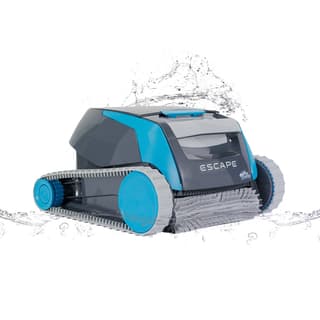 $768
Buy now
|
Top pick
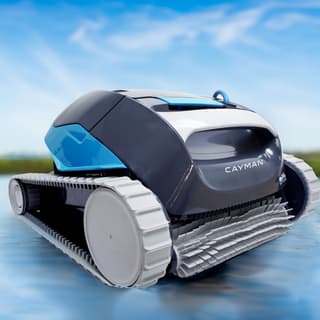 $1079
Buy now
|
Top pick
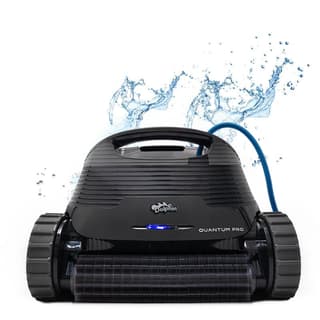 $1649
Buy now
|
|---|---|---|---|---|
| Price | $1189 | $768 | $1079 | $1649 |
| Power | Corded | Corded (low-voltage) | Corded (low-voltage) | Corded (low-voltage) |
| Pool size | In-ground up to 50 ft | Up to 33 ft (above-ground) | Up to 50 ft | Up to 50 ft |
| Coverage | Floor, walls & waterline | Floor only | Floor, walls & waterline | Floor, walls & waterline |
| Control | Power supply + weekly timer | Power supply (optional Automation Timer) | Weekly timer (power supply) | Weekly timer (power supply) |
| Filtration | Fine Filter Kit + Ultra-Fine Filter Kit | Extra-large top-load basket | MaxBin™ top-load basket (NanoFilter™-ready) | XXL MaxBin™ top-load + NanoFilters™ |
| Cycle / runtime | 2 hours | 1.5 hours | 2 hours | 2 hours |
| Warranty | 2 years | 2 years | 2 years | 2 years |
| Owner rating | — | — | — | — |
| Best for | In-ground pools up to 50 ft, floor, walls & waterline | Above-ground & small pools | Best value wall-climber | Best all-around inground pick |
Prices are current as of our latest check. Every column links to that model's own page.
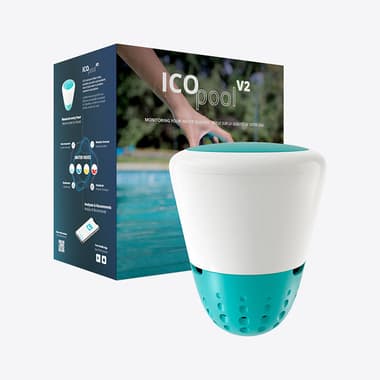
ICO tests your water every hour and tells you exactly what to add—before cloudy water or algae ruins the weekend.
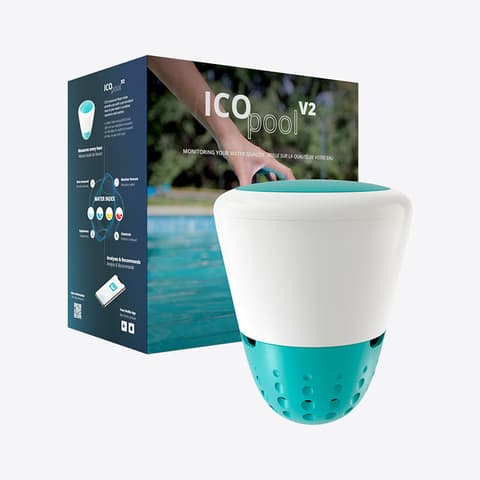
Hourly water readings and exact dosing help—without another subscription.